
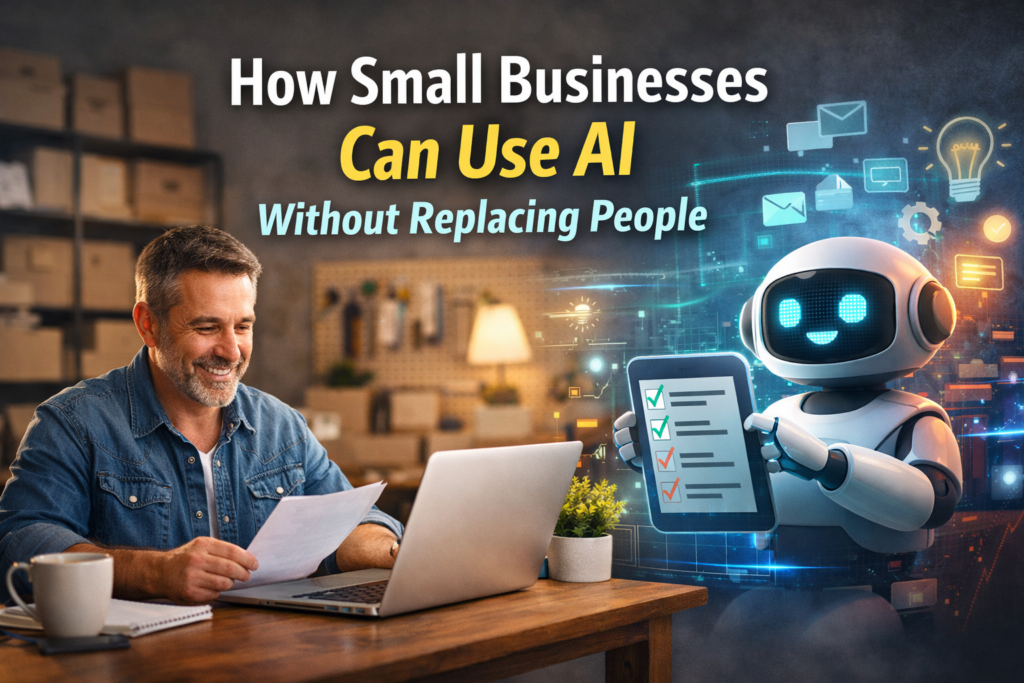
If you ask small business owners what worries them most about AI, the answer usually isn’t technical. Instead, AI for small businesses raises real concerns about people, trust, and risk.
Common concerns include:
-
Replacing trusted employees
-
Making customer interactions feel cold or automated
-
Creating mistakes they don’t have time to clean up
By comparison, unlike large enterprises, small businesses don’t have layers of staff to absorb risk. As a result, one bad decision can ripple fast.
Here’s the truth most AI evangelists won’t tell you:
AI only becomes dangerous when it’s used to replace judgment instead of supporting it. By contrast, when used correctly, AI doesn’t eliminate people — it removes friction.
Why AI for Small Businesses Should Support People, Not Replace Them
In reality, most small businesses aren’t overstaffed. Instead, they’re overloaded.
At the same time, owners and employees are already juggling:
-
Sales follow-ups
-
Customer emails
-
Scheduling
-
Marketing
-
Admin work
-
Reporting
That workload isn’t strategic — it’s clerical. As a result, AI doesn’t replace the human value in your business. Instead, it absorbs the repetitive tasks that are quietly draining time, attention, and energy.
What AI for Small Businesses Is Good At (And What It’s Not)
In practice, understanding AI’s limits is what keeps it safe.
AI Is Good At:
-
Drafting emails and content
-
Summarizing meetings and calls
-
Categorizing leads and tickets
-
Scheduling reminders and follow-ups
-
Tagging and organizing data
-
Analyzing patterns at scale
AI Is Not Good At:
-
Closing deals
-
Handling emotional situations
-
Making judgment calls
-
Understanding context without guidance
-
Representing your brand voice without review
This distinction matters. As a result, when AI handles process, people stay focused on relationships and decisions.
Real-World AI Use Cases That Don’t Replace Anyone
For example, these are real, practical examples of how SMBs use AI without layoffs, disruption, or customer backlash.
1. Sales Follow-Ups That Never Get Missed
The challenge:
However, leads come in, calls happen, but follow-ups fall through the cracks — not because salespeople don’t care, but because they’re busy.
Where AI helps:
-
Draft follow-up emails based on call notes
-
Suggest next steps and reminders
-
Flag leads that haven’t been contacted
Human role:
-
Review the message
-
Add personal context
-
Hit send
Result:
Better response rates, faster follow-ups, and zero loss of human touch.
2. Customer Support Without Robotic Responses
The problem:
Support inboxes become messy fast. Messages pile up. Customers wait longer than they should.
AI’s role:
-
Categorize incoming tickets
-
Identify urgency
-
Route messages to the right person
Human role:
-
Write and send the response
-
Resolve the issue
-
Maintain tone and empathy
Result:
Faster response times without automated replies customers hate.
3. Marketing That Actually Happens
The problem:
Marketing gets postponed because it’s time-consuming and mentally draining.
AI’s role:
-
Draft blog posts, email campaigns, and social captions
-
Repurpose content across channels
-
Create outlines and first drafts
The human role:
-
Edit for voice and accuracy
-
Add real examples
-
Approve final messaging
As a result:
Consistent marketing without burning out the owner or staff.
The “Efficiency Layer” Model
The best way to think about AI in a small business is as an efficiency layer.
As a result, it sits on top of your existing systems and helps them work better.
AI becomes a:
-
note-taker who never forgets
-
junior assistant who works 24/7
-
safety net for missed steps
-
second set of eyes
AI doesn’t make decisions for you. Instead, when used correctly, it prepares information so you can make better ones faster. This approach aligns closely with how we help businesses modernize workflows through Fractional CMO leadership without adding headcount.
Why Small Businesses Are Actually Better Positioned Than Enterprises
Meanwhile, big companies love to talk about AI — and then move slowly.
They struggle with:
-
Tool sprawl
-
Data silos
-
Long approval chains
-
Change resistance
Small businesses don’t have that problem.
They usually have:
-
Fewer systems
-
Clear ownership
-
Faster decision-making
-
Immediate feedback loops
AI rewards speed and clarity — both SMB strengths.
The Right Mindset Going Forward
Ultimately, AI shouldn’t feel disruptive. For example, research from McKinsey shows that AI delivers the most value when augmenting human decision-making, not replacing it.
It should feel like:
-
Fewer dropped balls
-
Faster responses
-
More organized systems
-
Less stress
When implemented correctly, customers won’t notice AI at all. They’ll just notice that your business feels more responsive and professional.
What’s Next
In short, AI doesn’t require a massive transformation to be effective. Many of these systems connect directly with existing marketing operations, including digital asset management and campaign workflows.
In the next post, we’ll break down three AI workflows any small business can set up in under a week — using tools you probably already have.